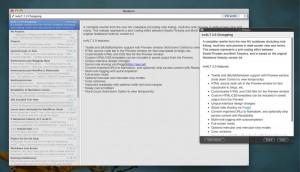
nvALT 3 is a fork of the original Notational Velocity with some additional features and interface modifications, including Apex Markdown functionality. It has been developed by Elastic Threads (David Halter) and Brett Terpstra, and made available for free (donations accepted).
Please report issues on GitHub, not on Twitter or via email. It helps keep everything manageable and avoids us having to answer the same questions in a hundred different tweets and messages. Along the same lines, please take a look at existing tickets before starting a new one.
Notational Velocity is a way to take notes quickly and effortlessly using just your keyboard. You press a shortcut to bring up the window and just start typing. It will begin searching existing notes, filtering them as you type. You can use ⌘+J and ⌘+K to move through the list. Enter selects and begins editing. If you’re creating a new note, you just type a unique title and press enter to move the cursor into a blank edit area. Check out the descriptions at notational.net for a more eloquent synopsis.
Want a great primer on using nvALT? See Michael Schechter’s nvALT 101.
Notational Velocity Features
Option for horizontal layout with multi-line previews in notes list
Words between [[double-brackets]] will become links to other notes
Tags are synced to Dropbox and searched by Spotlight, via OpenMeta
Tags are auto-completed while typing in the tag-entry field
TaskPaper-compatible strikethrough formatting using the “@done” tag
Apex and (Multi)Markdown support with Preview window (hold down Control to view temporarily)
HTML source code tab in the Preview window for fast copy/paste to blogs, etc.
Unique interface design changes
Customizable HTML and CSS files for the Preview window
Convert imported URLs to Markdown, and optionally strip excess content with Readability
Multi-note tagging with autocompletion
Full-screen mode (requires OS X 10.5 or higher)
Optional menubar and menubar-only modes
Color schemes
Black/White
Low-contrast
User customizable
Collapse/Expand notes list and search field
Improved readability with optional width limit and margins
Really cool scrollbars
Word Count (hold down Option to view temporarily)
Working localizations (French, German, Portuguese)
Installation
Just download the file, double-click to unzip, then drag to your Applications folder.
If you’ve been using the original (or another fork of) Notational Velocity, you can install nvALT (which has the same application name) alongside the original application. nvALT uses its own preference file and database as of version 2.0. Previous users of Notational Velocity or nvALT will be greeted with the default settings when they first launch 2.0, and will need to set up preferences for color, sync, etc. again.
If you have a custom version of MultiMarkdown installed in ~/Library/Application Support/MultiMarkdown, nvALT will use it. If you don’t, it will just use its bundled version. No problem!
Customization
After the first time you run the Preview window, look in ~/Library/Application Support/Notational Velocity and you’ll find two files: template.html and custom.css. If you’re handy with HTML and CSS, feel free to customize these in whatever way you like. You can add Javascript as well, but you’ll need to load external scripts from a url or using a full file:// path. If worse comes to worst, you can just delete or rename your customizations and the default files will be put back in place automatically.
PPC/Tiger support
Note: Apparently our build is not particularly PowerPC compatible. Since we don’t have PPC machines to test on, it’s difficult to provide compatibility for them. We’ll do our best. In the meantime, it’s probably best for PPC users to hold off or use this experimentally only.
If you tried v2.1 and found yourself up a creek, here’s the 2.0 download link.
Help/Support
Please file any and all issues, questions, feature requests and suggestions in the GitHub issue tracker. We will respond to tickets as soon as we are able.
Changelog
Click to expand
nvALT 3.0.3
#### CHANGED
List Settings panes in a sidebar and show the selected pane beside them.
Rename the Preferences menu item to Settings.
IMPROVED
Size the Settings window so each pane’s options fit without collapsing into a chevron.
nvALT 3.0.2
#### CHANGED
List Settings panes in a sidebar and show the selected pane beside them.
Rename the Preferences menu item to Settings.
IMPROVED
Size the Settings window so each pane’s options fit without collapsing into a chevron.
nvALT 3.0.1
#### CHANGED
NvALT now requires macOS 12 or later.
Check for Updates works again on current macOS, using Sparkle 2 and the existing designheresy feed.
MultiMarkdown preview is rendered by Apex instead of the bundled multimarkdown tool.
Preview Share publishes the note to Marked Share instead of Peggd and copies an unlisted link.
Note text and the note list use the regular system font size. Existing Helvetica 12 notes and the old 11 or 12 point list size are updated once.
Note list headers are flat, with a hairline separator and a chevron for the sorted column.
The search field no longer draws its old horizontal border lines.
The version is 3.0.0 (build 129).
Remove Simplenote sync and the Synchronization tab from Notes settings.
Replace the preview Save HTML button with Open in Marked for plain text notes stored on disk.
Render the preview with Apex Unified Markdown.
Turn on Markdown shortcuts by default, so Command-B and Command-I insert syntax instead of rich text.
Use the new app icon, including the Icon Composer icon on current macOS and a generated icon for older systems.
Store new note databases as plain text files instead of a single database. Existing database-only libraries stay as they are.
Use md as the default extension for plain text notes, including libraries that were using txt, text, or utf8. A custom extension is left as the default.
Store note tags as Finder tags. Existing OpenMeta tags on note files are copied over on launch, and later edits stay in Finder.
Revise the app icon fill and the placement of the pages and pen.
NEW
Open Marked Streaming Preview sends the current note to Marked and opens x-marked://stream/. It is in the Preview menu and the status menu.
Highlight Markdown syntax in the editor while Markdown completion is on.
Ask once, on launch, whether to convert a Rich Text library to Markdown.
Add Convert to Markdown in Notes settings. Rich Text notes are converted, plain text notes are copied as they are, and the files are written into a new folder that then becomes the notes folder. The current folder is left unchanged.
IMPROVED
NvALT runs natively on Apple silicon as well as Intel.
Web links in notes are found by the system link detector. Double-bracket wiki links still work.
Encrypted notes still open. Crypto now uses the system libraries instead of the bundled OpenSSL.
FIXED
Typing in a note no longer crashes if the text gets shorter during an edit.
The password generator no longer stalls when the length is longer than the character set.
Make the Marked Share confirmation follow light and dark mode and show its buttons.
Pressing Return on an empty continued list item removes the marker and leaves a blank line.
Show the menu bar icon when that setting is on, using the rocket image instead of the app icon.
nvALT has its own update stream, so running Check for Updates from the application menu will give you updates only for this fork.
A new app is coming to replace nvALT: nvUltra. Sign up here for updates here..
Browser Extensions
For Safari and Chrome, browser extensions are available at Elastic Thread’s website. Clip selected link, text or entire page directly to nvALT, with optional use of Instapaper Mobilizer.
Also, an all-purpose bookmarklet by Alex Popescu brings some clipping goodness to everyone, including Firefox Users. Grab it at his site.
Source code
Source code for nvALT is currently available on GitHub. Bleeding edge features are developed in branches, but master is quite likely to be buggy, too. That’s how we roll.